Build Petalinux in Docker or Podman | Complete Container Setup Guide
- How to Build Petalinux in Docker or Podman (Complete Guide)
- Why Petalinux Build Environments Become Difficult to Manage
- What is Petalinux?
- Why Use Petalinux for AMD SoCs?
- The Real Challenge: Multiple Petalinux Versions
- Why Use Docker or Podman for Petalinux?
- Docker vs Podman
- Installing Docker or Podman
- Creating a Petalinux Dockerfile
- Building the Container Image
- Running the Petalinux Build Environment
- Benefits of Containerised Embedded Development
- Source Code
- Watch the Full Video Tutorial
- Final Thoughts
How to Build Petalinux in Docker or Podman (Complete Guide)
Setting up Embedded Linux build environments can quickly become messy. Between toolchain versions, dependencies, and massive disk usage, development machines can become difficult to manage.
If you work with AMD (Xilinx) SoCs, you have probably installed Petalinux several times across different systems. Over time, multiple toolchain versions accumulate and consume large amounts of storage.
In this guide, I’ll show you how to create a Petalinux build environment using Docker or Podman, allowing you to run multiple toolchains in isolated containers without polluting your host system.
This approach makes your builds reproducible, portable, and much easier to maintain.
Why Petalinux Build Environments Become Difficult to Manage
Most embedded engineers eventually run into this problem.
You start a project and install a specific version of PetaLinux. Later, another project requires a different version of the tools.
Soon your development machine contains:
- Multiple toolchain installations
- Conflicting dependencies
- Large disk usage
- Difficult setup procedures for new developers
In my own experience, I’ve created build environments across:
- VirtualBox Virtual Machines
- Hyper-V
- Shared development servers
- Local development machines
Each environment required significant configuration and maintenance.
Eventually you reach a point where you simply run out of disk space or lose track of which environment belongs to which project.
What is Petalinux?
Petalinux is an embedded Linux build system developed by AMD (formerly Xilinx) for their System-on-Chip platforms.
It provides tools for building a complete embedded Linux system including:
- Bootloaders
- Linux kernel
- Root filesystem
- Device trees
- Custom drivers
Petalinux integrates tightly with AMD’s FPGA and SoC ecosystem, including:
- Vivado
- Vitis
- Hardware platform exports
This makes it the recommended environment for developing Linux systems on AMD SoCs such as Zynq, Zynq UltraScale+ and Versal.
Why Use Petalinux for AMD SoCs?
If you are building a product using AMD hardware, using the manufacturer-provided operating system and tools is usually the simplest approach.
Petalinux provides:
- Pre-configured kernel builds
- Hardware integration
- Device tree generation
- Root filesystem management
- Toolchain integration
While alternative Linux build systems exist (such as Yocto or Buildroot), Petalinux simplifies development for AMD hardware platforms.
The Real Challenge: Multiple Petalinux Versions
AMD releases new design tool versions twice per year.
Each release includes updates to:
- Vivado
- Vitis
- Petalinux
This means different projects may require different tool versions.
Example:
| Project | Toolchain Version |
|---|---|
| Industrial controller | 2021.2 |
| Robotics platform | 2022.2 |
| New product prototype | 2023.1 |
Installing these toolchains locally can easily consume hundreds of gigabytes of storage.
In corporate environments, restrictions from IT departments can make managing these installations even harder.
This is where containers become extremely useful.
Why Use Docker or Podman for Petalinux?
Containers allow you to define your entire build environment in code.
Instead of manually configuring a system, you simply describe the environment in a Dockerfile or Containerfile.
This provides several advantages.
Reproducible Builds
Every developer runs the exact same environment.
Multiple Toolchains
Different Petalinux versions can be isolated inside different containers.
Clean Development Machines
Your host system remains uncluttered.
Easy Setup for Teams
New developers can build the environment with a single command.
Docker vs Podman
Both Docker and Podman can be used to run containerised build environments.
Docker
Docker is the most widely used container platform and works well on:
- Windows
- macOS
- Linux
It provides a large ecosystem and extensive documentation.
Podman
Podman is a daemonless container engine that is particularly popular on Linux.
Key advantages include:
- Rootless containers
- Improved security model
- Docker-compatible commands
In many cases, you can simply replace:
dockerwith
podmanand everything works the same.
Installing Docker or Podman
Before creating the container environment, you need to install a container runtime.
Windows
Install Docker using Docker Desktop or use Podman Desktop with WSL2.
Install WSL by opening a terminal on Windows and entering the following command:
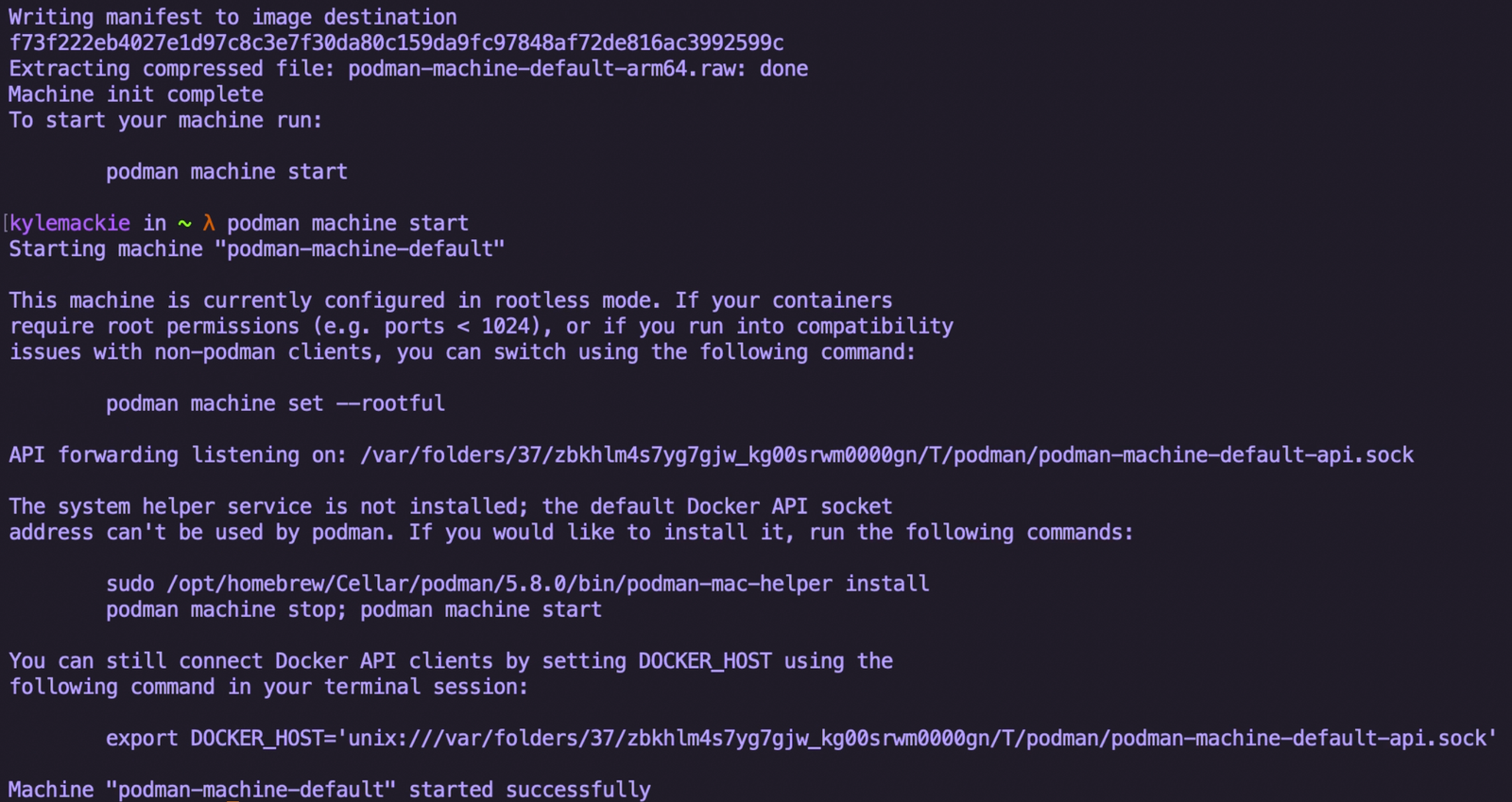
wsl --installmacOS
Both Docker and Podman are available through desktop installers or package managers like Homebrew.
brew install podmanYou can install docker by entering the command below:
brew install dockerLinux
On Linux systems installation is typically straightforward.
Ubuntu example:
sudo apt install podmanor
sudo apt install docker.ioMany developers prefer Podman on Linux because it runs containers without requiring root privileges.
Creating a Petalinux Dockerfile
The next step is defining the build environment using a Dockerfile or Containerfile.
This file describes:
- Required system packages
- Environment configuration
- Petalinux dependencies
- Build setup
Example:
FROM ubuntu:22.04

RUN apt-get update && apt-get install -y \
    build-essential \
    gcc \
    git \
    wget \
    python3 \
    python3-pip \
    xterm \
    libncurses5-dev \
    libssl-dev \
    unzip \
    rsync

WORKDIR /workspace
This configuration installs the core dependencies required for building embedded Linux environments and copies the Petalinux installer and BSP to the container image. This configuration also installs Petalinux and create a Petalinux BSP project ready for build.
In the video tutorial, I go through the Dockerfile line-by-line and explain each component.
The full configuration is available in the GitHub repository linked below.
Building the Container Image
Once the Dockerfile is ready, building the container image is simple.
Using Podman:
podman build -t petalinux-build .Using Docker:
docker build -t petalinux-build .The build process installs all required packages and prepares the environment.
This step may take several minutes depending on system performance.
Once complete, the image can be reused whenever you need to build PetaLinux.
Running the Petalinux Build Environment
After the container image is built, you can start the environment and begin building your PetaLinux project.
This approach allows you to maintain fully isolated build environments for each toolchain version.
Instead of maintaining several large virtual machines, you simply run the appropriate container.
Benefits of Containerised Embedded Development
Using containers for embedded development provides several advantages.
Consistent Build Environments
Every build runs inside the same environment, eliminating configuration differences between systems.
Faster Setup
New developers can build the environment in minutes rather than spending hours configuring dependencies.
Reduced Storage Requirements
Containers share layers, reducing overall disk usage.
Ideal for CI/CD
Containerised builds integrate well with automated pipelines.
Source Code
The complete Dockerfile, scripts, and setup instructions are available on GitHub.
You can access the repository here: https://github.com/kcm-embedded/petalinux-build-container
Watch the Full Video Tutorial
This article accompanies a video tutorial where I demonstrate the full process of building a Petalinux container environment.
Final Thoughts
Containerised build environments are becoming increasingly important in modern embedded systems development.
For toolchains like PetaLinux, containers provide a clean and scalable way to manage multiple versions without filling your development machine with massive installations.
If you regularly work with AMD SoCs or manage multiple embedded projects, setting up PetaLinux in Docker or Podman can significantly improve your workflow.